

Disney iPad skins only look right when the cut matches the tablet in your hands. A standard iPad, an iPad Air, an iPad Pro, and an iPad mini do not share one back panel. A skin made for last year's model can miss the camera or a button on this year's. Start with the model name in Settings, then pick an officially licensed Disney design that lists that exact model.
By Cesar Quintana, Art Director
Confirm the iPad before you shop Disney iPad skins
The model name is the whole fit decision. On the iPad, open Settings, tap General, then tap About. The model name sits near the top. Write down the family and the year or generation, such as iPad 11th generation (2025) or iPad Pro 11-inch M4 (2024). A nickname like "my big iPad" is not enough.
Screen size is a clue, not a match. Apple sells more than one 11-inch tablet, and the camera shape can change even when the inch size stays the same. If the name in Settings is unclear, use the model number on the back of the tablet or in the same About screen, then compare it with Apple's model list.
Skinit sells Disney designs as separate products for each iPad family. The Apple iPad skins collection is the broad shop. From there, open the Disney design you want and read the model menu before you add it to the cart. A design you like on one family is not automatically the same product for another.
If you would rather start from your own photo than a Disney design, use the custom iPad skins path. That path is for a photo, logo, or artwork you have the rights to use. It is not a way to upload a Disney character and call the result licensed. The custom gaming skins collection is a different shop, for compatible gaming gear you personalize yourself.
Match Disney iPad skins to the right model family
Think of the iPad lineup as four shapes. A skin is cut for one of those shapes, including the camera, buttons, and edges. Pick the family first, then the year. The examples below come from live Skinit product menus, not from a single size chart that covers every design.
- Standard iPad. These are the regular tablets, named by generation and year. The Disney Lilo and Stitch Stay Weird Apple iPad skin lists iPad 11th Gen (2025), iPad 10th Gen (2022), and the iPad 10.2-inch 9th generation (2021). Older choices on that page include 7th-8th generation (2019-2020), 9.7-inch (2018), 9.7-inch (2017), and a short "iPad 1" label.
- iPad Air. Air skins are a separate cut. The Encanto Mirabel Family Magic iPad Air skin lists the 11-inch and 13-inch Air from 2024-2025. It also lists the M1 5th generation (2022), the 10.9-inch 4th generation (2020), and older Air and Air 2 models.
- iPad Pro. Pro skins follow the Pro line only. The Lilo and Stitch Stay Weird iPad Pro skin lists the 11-inch and 13-inch M4 models from 2024. Earlier choices include 11-inch and 12.9-inch Pro years, plus the 10.5-inch and 9.7-inch Pro.
- iPad mini. Mini is the small tablet. A Frozen Anna design offers iPad Mini (2021) and iPad Mini 5 (2019) as their own choices. Those are not a shrink of a full-size skin.
Two listings show why the menu matters. Disney Lilo and Stitch Stay Weird is sold as its own Apple iPad skin, with Gloss, Matte, and Carbon choices for the standard generations above. The same artwork is also sold as its own iPad Pro skin, with the Pro models named on that page. Order the product whose menu names your tablet. Do not copy a price from a different design or from this guide. Open the product and read the current price for the variant you selected.
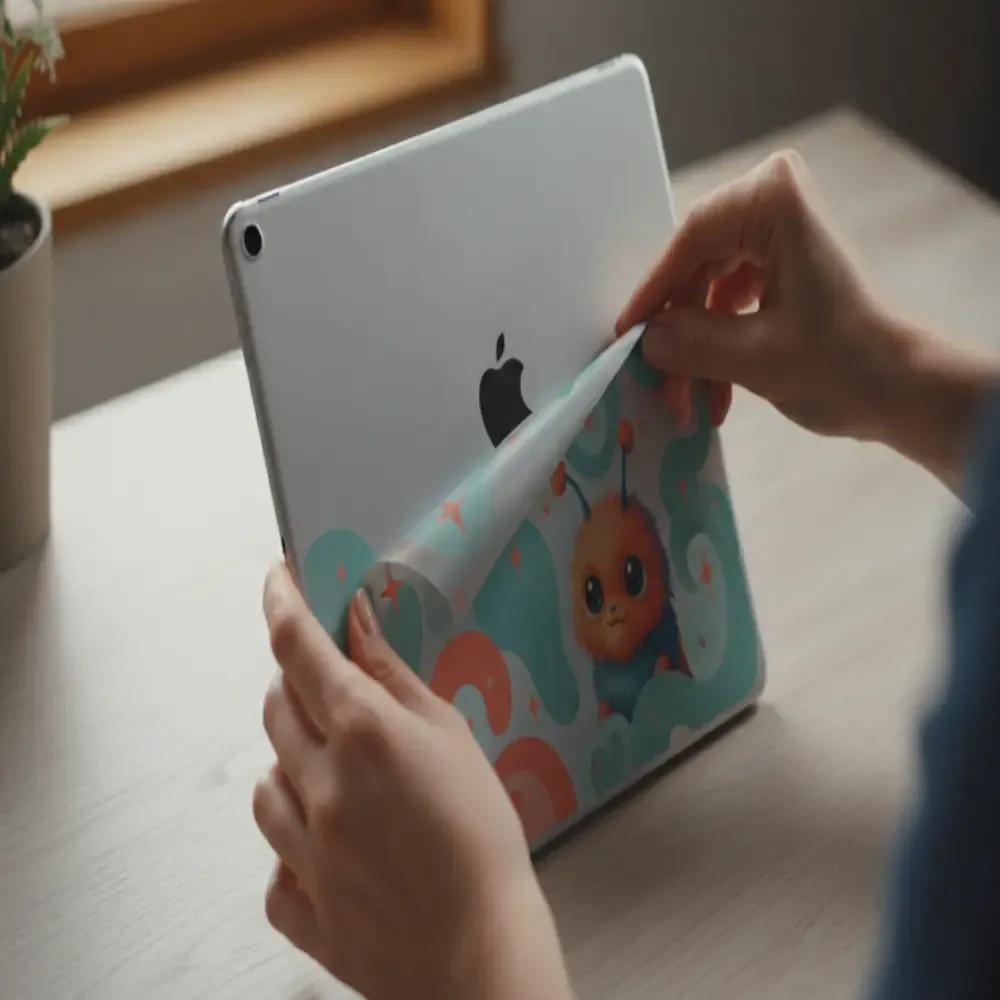 Line the skin up with the camera and edges before you press it down.
How device generation changes the Disney skin cut
A newer iPad in the same family can still need a new cut. Apple moves the camera, changes the edge, and sometimes changes the size. That is why a 2022 iPad and a 2025 iPad are separate choices, and why an 11-inch Pro from an earlier year is not the same choice as an 11-inch Pro M4 from 2024.
Use this check before you trust a photo:
- Read the model name in Settings, then note the year or chip if it is shown.
- Open the Disney product and find that exact name in the model menu.
- Look at the camera opening in the product images. It should match the camera on your tablet.
- If your model is missing, do not pick the closest year. Choose another design that lists your model, or wait until you can confirm it.
Older tablets are still listed on many designs, including iPad 9.7-inch models from 2017 and 2018 and the 7th-8th generation from 2019-2020. "iPad 1" also appears on some standard iPad menus. If you own a very early iPad, confirm that short label against the product page rather than guessing it means every original model.
Cases are a different product. A Disney iPad case, such as a Minnie Mouse case, wraps the tablet for more coverage. A skin is a vinyl layer for the surface. Skinit also sells some Disney art as an OtterBox Defender iPad skin, including a Stitch Stay Weird version cut for that case, not for a bare iPad. Read the product title so you do not order a case skin for a tablet that has no case on it.
Compare Disney iPad skin choices before you order
Once the model matches, the remaining choices are the design, the finish, and whether you want a skin or a case. Prices change by variant, sale, and the page you are on. This table tells you what to confirm. It does not quote a price. Read the live product page before you pay.
| Choice | Confirm this | Where to check the price |
|---|---|---|
| Lilo and Stitch Stay Weird, for a standard iPad. | Check the generation. Then pick Gloss, Matte, or Carbon. | That Apple iPad skin product page. |
| The same Stay Weird art, for iPad Pro. | Check the Pro size and year. M4 models from 2024 are listed. | That iPad Pro product page. |
| Encanto Mirabel Family Magic, for iPad Air. | Check the Air size and year. 2024-2025 sizes are listed. | That iPad Air product page. |
| Frozen Anna Sketch Art. | Use the model in that menu. Pro, Air, iPad, and mini can appear. | That design's product page. |
| A Disney iPad case, or an OtterBox Defender skin. | Check coverage and the model. A case skin is not a bare-iPad cut. | The case or Defender page for your model. |
Gloss, Matte, and Carbon change the surface look, not the device shape. Pick the finish after the model is selected. Browse more officially licensed art in the Disney collection, then return to the iPad product and confirm the model again. Character collections such as Frozen, Encanto, and Lilo and Stitch also include phones, laptops, and gaming gear. Those are not iPad skins.
Skinit prints licensed skins to order in San Diego. Support asks buyers to allow an estimated 2 to 5 business days of manufacturing before the order ships. That window is not a guaranteed arrival date, and it does not include carrier transit. Some product pages show a shorter production note. If the page you are buying from states its own production time, use that note for that item.
Shipping is not one rule for every Disney design. Some product pages say a licensed item ships only to US and Canada addresses. Skinit's help center says international shipping can be blocked by the license and by the destination, and that some designs can still ship internationally. Enter the address at checkout, and read the note on the item. Do not assume every Disney iPad skin stops at the Canadian border, and do not assume every design ships worldwide.
Free-shipping offers also differ by page and by promotion. One Air listing has mentioned free shipping above a stated order amount, while other pages calculate shipping at checkout. Read the offer on the item in your cart. A threshold on one design is not a promise for the next design.
Use the cart as a last check, not as the first one. The line item should name the Disney design, the iPad model, and the finish. If it only says "iPad skin," go back. A photo of the art on a similar tablet is not the same as your selected variant. Read the live price on that product page before you pay. Collection tiles and single-design pages can show different amounts, and a sale can change the number at checkout.
What a Disney skin covers, and what it does not
Shoppers often want two things at once: a favorite character, and a tablet that survives a commute. A vinyl skin is built for the first job and only part of the second. On Skinit's iPad pages, the skin is described as a precise vinyl layer that helps against scratches and scuffs. Pro and Air copy also mentions dirt and dust, and a 3M material that should not leave residue the way a cheap sticker can.
That is surface care. It is not a bumper, a folio, or a drop claim. The back of the iPad is the usual canvas. Ports, buttons, and the screen stay usable, which means they also stay uncovered. If you carry the tablet loose in a bag, a skin can make the back look finished and reduce light scuffs. If impact protection is the priority, use a separate protective case that is suitable for your model. A skin will not do that job.
Coverage also depends on accessories you already own. A Smart Cover or a keyboard does not use this skin. An OtterBox Defender needs the Defender version of the art, because the case changes the outer shape. If you switch between a bare tablet and a case, order the product that matches how you actually carry it.
Licensed art is the other limit. Disney designs on Skinit are officially licensed, and the character on the page is the character you receive. You do not upload a Disney image into a custom flow and call it licensed. The custom iPad skins path is for your own photo, art, or logo. Use it only when you have the rights to that file. For Mickey, Stitch, Anna, Mirabel, and the rest, stay on the licensed design and confirm the model there.
Apply the skin so the Disney art stays lined up
A correct cut still needs a careful application. Work on a clean table with bright light. Wash and dry your hands, power the iPad off, and remove any case. Wipe the back with a soft, dry cloth so dust does not sit under the vinyl.
Hold the skin over the tablet before you remove the backing. The camera hole, buttons, and corners should line up. Peel a little of the backing, set that edge, and smooth outward with your fingers or a soft card. If a bubble appears, lift the nearby area gently and lay it down again. Do not stretch the film to force a hole over the camera. Stretching means the model is wrong or the piece is crooked.
Skinit's iPad skins use premium vinyl, and the Pro and Air product pages describe a 3M vinyl decal that is meant to come off without sticky residue. That is not a promise that every removal is invisible, and it is not impact protection. A skin helps with scratches, scuffs, dirt, and dust on the surface it covers. For drops, use a case made for your model. Keep liquids out of the ports, and follow the care note that ships with the skin.
Common fit mistakes with Disney iPad skins
Most bad orders come from a close-but-wrong model. These are the checks worth repeating before you leave the product page:
- Buying by screen size only. An 11-inch Air and an 11-inch Pro are different products.
- Using last year's cut on this year's tablet. Camera bumps move. Match the year in the menu.
- Ordering the Pro art for a standard iPad. Stay Weird, and many other designs, are listed separately for each family.
- Choosing an OtterBox skin for a bare iPad. The title should say if the skin is for a case.
- Expecting a skin to work like a case. Vinyl covers a surface. It does not replace a protective case.
- Assuming every Disney character is offered for every model. Open the menu. If your model is absent, pick another design.
For a gift, ask for the model name or a photo of the Settings About screen. Do not ask anyone to send a serial number in a text. If you still cannot tell the model, wait. A Disney design is easy to love and easy to reorder once the fit is certain. If a question is about an order rather than the model menu, use the contact page and the note on that product instead of guessing from a different listing.
Browse Disney iPad skins by model
Frequently asked questions
Do Disney iPad skins fit every iPad?
No. Each skin is cut for a listed model. Confirm the name in Settings, then choose that model on the product page. A standard iPad skin does not fit an iPad Pro, Air, or mini.
Which iPad models do Skinit Disney skins list?
It depends on the design. The Stay Weird standard iPad page lists the 11th generation (2025), the 10th generation (2022), and several older generations. Separate Air, Pro, and mini products list their own years, including 2024 and 2025 sizes on current Air and Pro pages.
What is the difference between Gloss, Matte, and Carbon?
They are finishes for the same device cut. Gloss is shiny, Matte is softer, and Carbon is a textured look. Select the finish only after the model is correct. Not every design shows all three finishes.
Is a Disney iPad skin the same as a Disney iPad case?
No. A skin is a vinyl layer for the outside of the tablet. A case is a separate product with more coverage. Some Disney art is also sold as a skin for an OtterBox Defender case, which fits that case rather than the bare iPad.
Will the skin leave residue when I take it off?
Skinit describes its premium 3M vinyl iPad decals as coming off without sticky residue, unlike low-quality stickers. Peel slowly, keep the surface dry, and do not use heat or solvents unless the product instructions say to.


